
Site execution
- Daily work assignments
- Stage inspections
- Contractor follow-ups
- Site progress records

One clear plan. Every team connected. Coordinate site teams, contractors and project departments with clear tasks, due dates and checklists. Plan on desktop. Keep progress, supporting photos and reviews moving on mobile.
FOR EVERY TEAM BEHIND THE BUILD
From the project office to the site, give every department a clearer way to coordinate.
Choose a familiar process. See how planning, site updates and review fit together.
Give the site engineer a clear checklist, keep the inspection photos with the task and pass the work to the responsible reviewer.
Plan the inspection and assign the engineer
Record findings and attach site evidence
Review the submission and follow up
Illustrative task preview · Sample data
Keep tasks, departments and responsibilities visible. Open the work your team needs to do next.
Select a task to see its requirements.
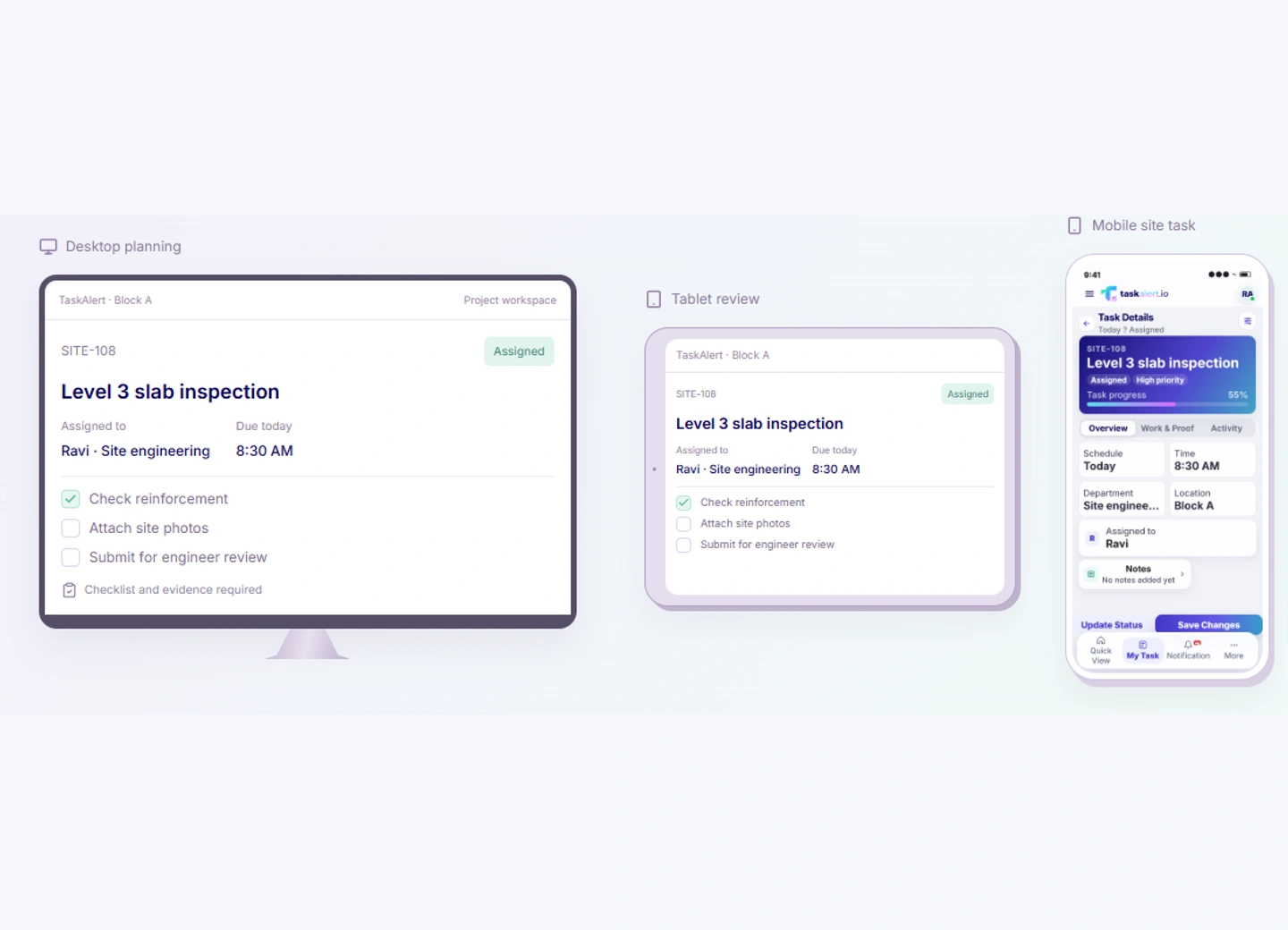
SITE-108 · The same task across desktop, tablet and phone.
Give everyday construction work a useful starting point.
Reuse the instructions your team already follows for inspections, handovers and regular site checks.
Set recurring tasks for regular work, with a responsible person and a record of each occurrence.
Bring task details, due dates and supporting information together so people can act with context.
Keep the files your team needs close to the task that needs them.
A practical change to the way your people coordinate.
Site updates scattered across chats
Another call to find the responsible person
Inspection photos in separate folders
Recurring checks remembered manually
A handover without the full story
Progress recorded against the relevant task
An owner and a due date visible together
Supporting files kept with the work
Scheduled routines with completion records
Requirements and review context in one place
A clear owner, shared requirements and a visible next step make handovers easier to follow.
Plan the task and departments.
Complete the work and record findings.
Check the evidence and close the loop.
Desktop planning and mobile follow-through, built around the same task.
Open the assigned inspection, check what is required and record the findings from your phone. Keep the next person informed without another chain of messages.
Give each team a clear place in the work, from the first assignment to the final handover.
Give the project team the context they need to keep work moving.
A named owner, a due date and requirements together.
A record of the work for the next person to follow.
Supporting information close to the task being reviewed.
Useful changes your team can understand from the first process.
Keep the first step familiar. Learn with your team, then build on what works.
Try a daily inspection or a contractor handover.
Add the department, owner, due date and checklist.
Record progress on mobile and review the outcome.
Practical answers before you start.
Plan work by department, assign a responsible person and set due dates on desktop. Site staff can view their work and record updates in the mobile app, keeping the task details together.
Sample workspace · Design preview
Product design preview with fictional sample data.

TaskAlert is an all-in-one business operations platform that helps teams manage tasks, workflows, employees, attendance, and reporting from one cloud-based workspace.
Get productivity tips, feature updates, and workflow best practices delivered to your inbox.